GetPDF.me icon
Web App

GetPDF.me

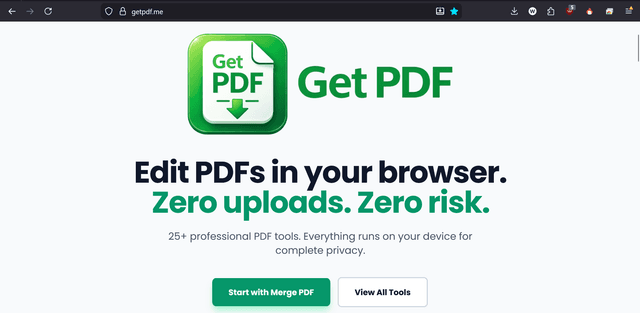
Edit PDFs in your browser. Zero uploads. Zero risk.

About this website

The web version of GetPDF - a privacy-focused PDF editor that runs entirely in your browser.

GetPDF.me brings professional PDF editing to your browser without compromising your privacy. Edit, merge, split, compress, and manipulate PDFs entirely client-side. Your files never touch our servers - everything happens in your browser using cutting-edge WebAssembly technology. Perfect for quick edits when you don't want to install software.

Key Features

100% browser-based - no software install
Zero file uploads - complete privacy
Edit PDF text and images
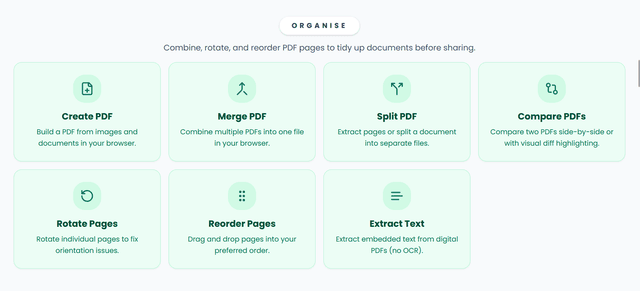
Merge and split PDFs
Compress PDF files
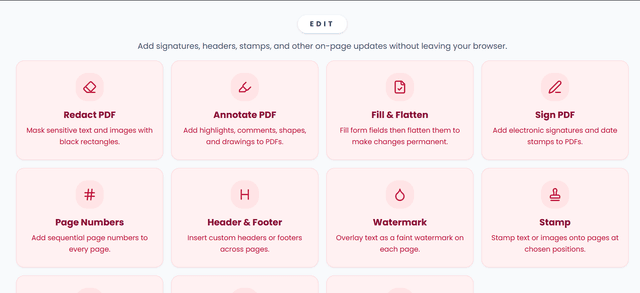
Add watermarks
PDF form filling
Digital signatures
Works offline after first load
Cross-platform compatibility

Use Cases

Quick PDF edits without installing software
Merge, split, and compress files before sharing
Fill forms and add signatures in the browser
Handle PDFs on any device with a modern browser

FAQs

Does GetPDF.me upload files to a server?

No. Editing runs entirely in your browser with zero uploads.

Can I use it offline?

Yes. After the first load, it works offline for most tasks.

What file types are supported?

PDFs are supported for editing, merging, splitting, and compression.

What can I do in the web app?

Edit, merge, split, compress, and sign PDFs directly in the browser.

Is it free to use?

Yes. The web app is free with optional upgrades in the wider GetSolutions suite.

Do I need to install anything?

No. It runs in the browser with no downloads required.

Does it work on mobile?

Yes. It works on mobile and desktop browsers.

Are files stored anywhere?

No. Files stay in your browser session unless you save or export them.

Can I add signatures?

Yes. Add signatures directly in the browser.

Is it the same as the mobile app?

It is the web version with a browser-first workflow and privacy-first design.

Additional Information

Updated
January 2026
Version
Web
Size
N/A
Category
Web App
Developer
GetSolutions

Privacy & Security

🔒No data collection
Offline-capable

Why it stands out

No uploads or server-side processing
Runs in-browser with privacy-first design
Works offline after the first load

Ready to get started?

Visit the website and start using it right away.

Visit GetPDF.me